LTI Integration
Documentation for connecting Canvas (and other LMS platforms) to Humans But Guided via LTI 1.3.
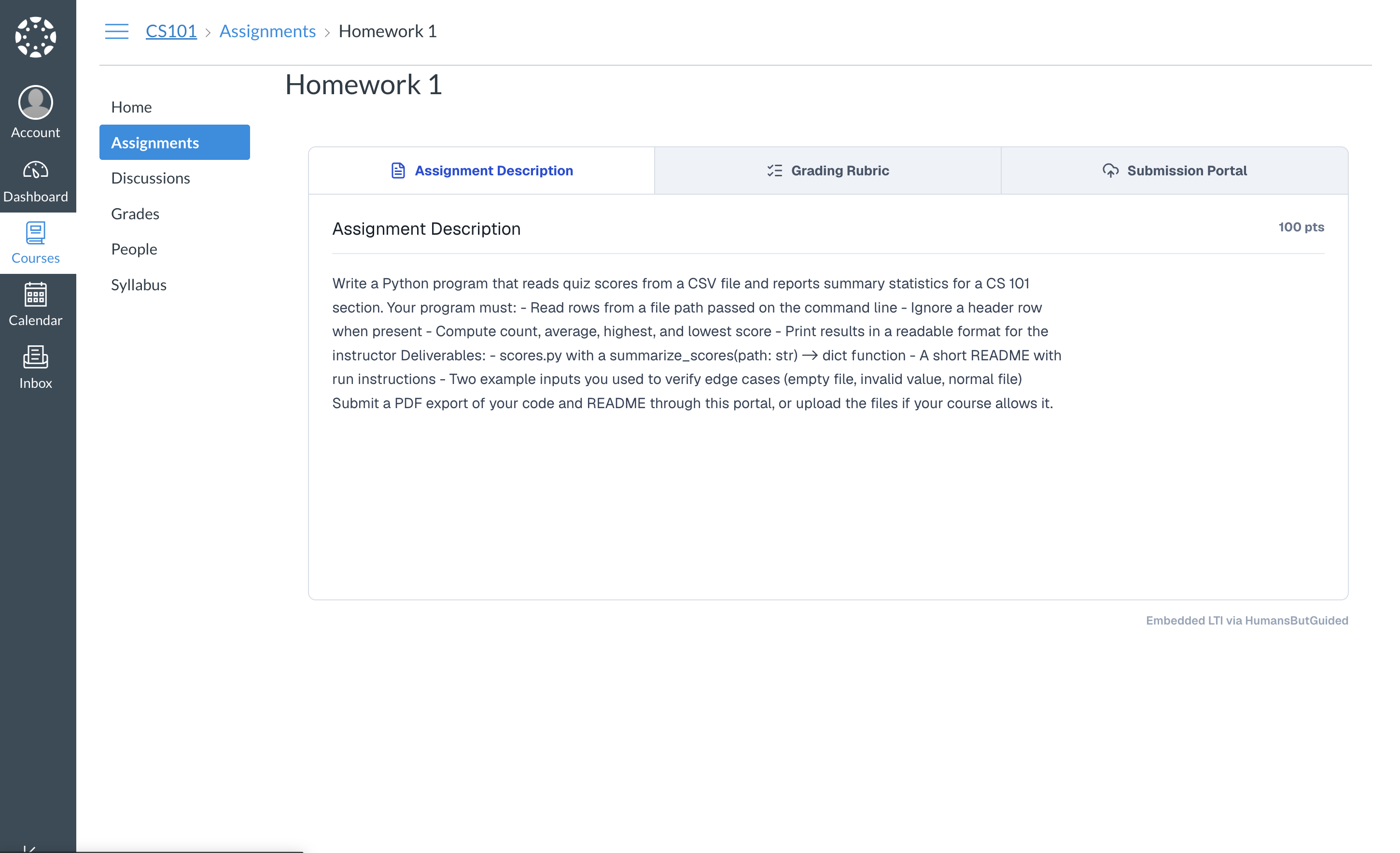
After Canvas registers the tool, installs it in a course, and links an assignment, students open the assignment and HBG loads inside the Canvas page — not in a separate browser tab.
Outcome after integration
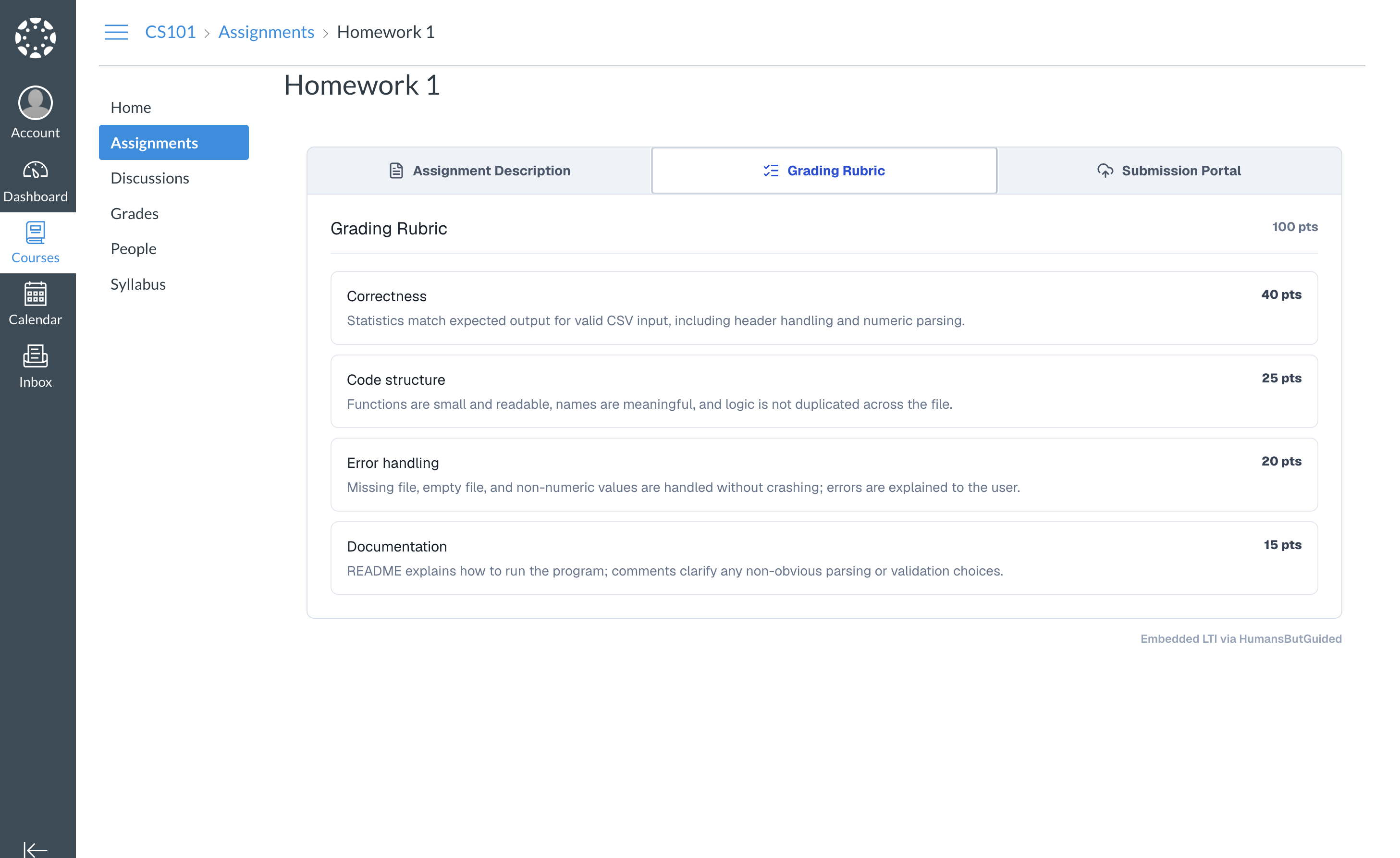
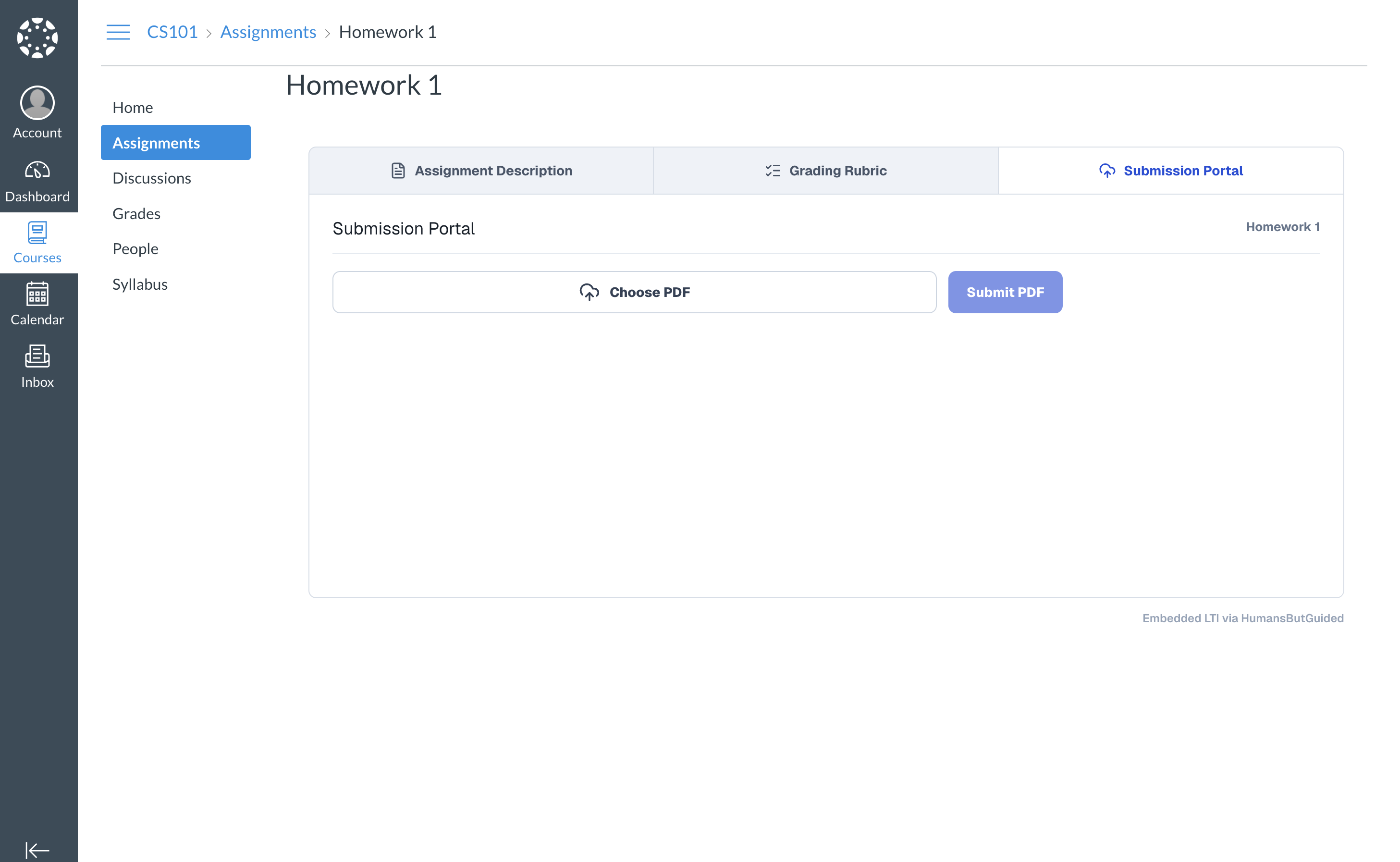
A successful launch embeds three workspace tabs in the assignment iframe:
| Tab | Purpose |
|---|---|
| Assignment Description | HBG-owned brief and point total |
| Grading Rubric | Scored criteria for the assignment |
| Submission Portal | PDF upload for student work |
Screenshots below are from CS101 → Homework 1 on the canvas-demo stack after a full LTI 1.3 launch.
Assignment Description
Grading Rubric
Submission Portal
Instructors with Canvas teacher roles can edit description and rubric from the same embedded surface. If the iframe is blank or shows an error, see LTI troubleshooting.
Guides
| Doc | Audience | Description |
|---|---|---|
| Canvas admin setup | Canvas administrators | Step-by-step walkthrough with screenshots for registering HBG as an LTI tool |
| Partner provisioning | HBG + partner Canvas admins | End-to-end handoff covering both the API path and the UI path |
| Token requirements | Canvas admins, platform engineers | JWT claims and scopes Canvas must include for a successful launch |
| LTI troubleshooting | Engineers, Canvas admins | Why the embedded HBG UI fails in the assignment iframe and how to fix it |